
Open WebUI v0.12.0: Voice, Avatars and Upgrade Risks
Open WebUI v0.12.0 adds realtime voice calls, animated VRM avatars and two-factor sign-in. I tested the release on my own box first: what changed, the image size, the boot time, and the one-way database migrations you have to back up for.
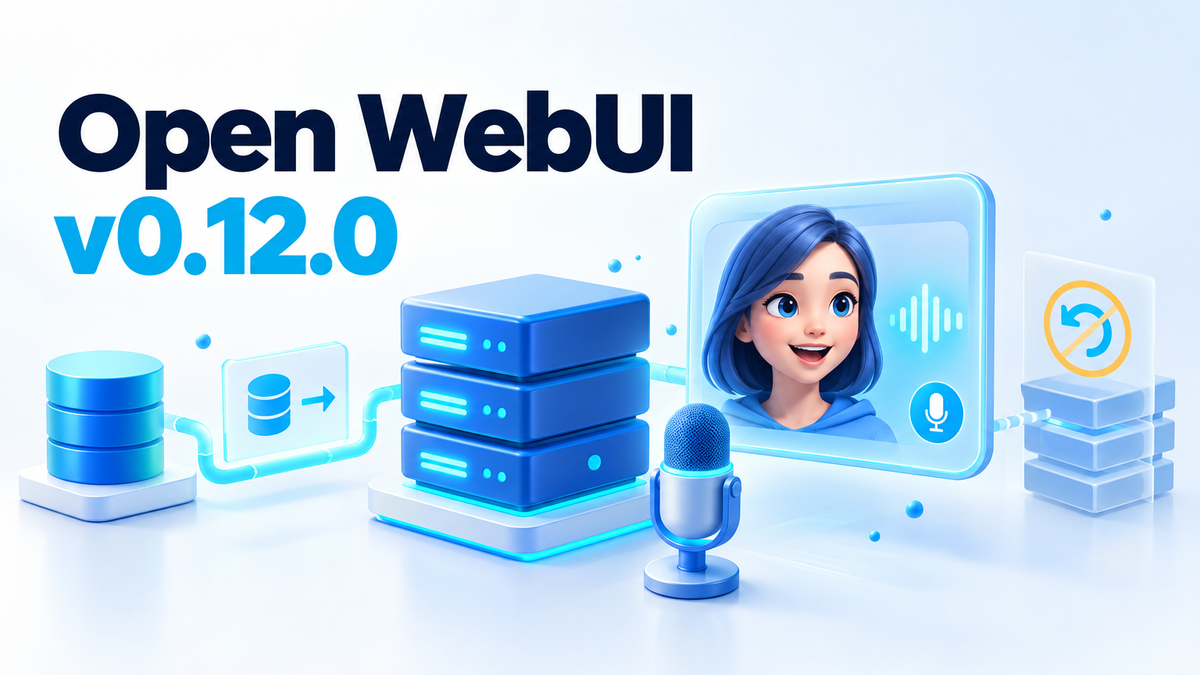
Open WebUI v0.12.0 puts a talking, animated face on your local AI. You can call your model, hear it answer in real time, and watch an avatar move its mouth along with the words.
That is the part everyone shares. The part nobody mentions is that upgrading runs one-way database migrations, and rolling the container back does not undo them. I tested the release on my own box before letting it near a production instance.
In short: Open WebUI v0.12.0 is the 10 October 2026 release of the open source, self-hosted AI chat interface. It adds realtime voice calls, animated VRM avatars, two-factor sign-in, replies in shared chats, model controls and version history for skills, models, tools and functions. It also ships one-way database migrations, so back up before you upgrade.
What actually changed
v0.12.0 arrived 19 days after v0.11.4, which shipped on 21 September 2026. The project's front page lists 154,000+ GitHub stars, 412 million+ downloads and 511,000+ community members, so a lot of instances are about to change.
The project's announcement leads with the voice and the face. The release notes go much further.
- Realtime voice calls. An admin switches Call mode from Standard to Realtime in Audio settings. Voice then talks through an OpenAI Realtime voice model,
gpt-realtime-2.1-miniwith the Marin voice by default. It handles small talk itself and hands real questions to the chat's selected model. Calls end after an hour. - Animated VRM avatars. Upload a rigged VRM avatar of up to 25 MiB in the model editor, with optional VRMA clips for idle, listening and speaking. The mouth follows the spoken answer.
- Two-factor sign-in. With
ENABLE_MFA, admins can require an authenticator app for every user. Users get ten single-use recovery codes, andopen-webui mfa resetcovers anyone who loses their authenticator. - Replies in shared chats. Switch Sharing mode from Clone only to Allow replies and everyone keeps writing in the same conversation, live. People can only edit, rate, regenerate or stop their own messages.
- Model controls. A model can carry named controls, such as a Thinking slider whose Low, Medium and High options set the reasoning effort.
- Compaction during long tool runs. A reply with many tool calls in a row is now compacted between tool rounds once it passes the token threshold.
- Multi-file skills with version history. A skill can hold supporting files next to
SKILL.md, and every save keeps a version you can compare or restore. - A redesigned model editor. It is also where you upload the avatar.
- Version history for models, tools and functions. The same idea as skills.
- Nested groups. Groups inherit permissions, and each can have its own default model: one for support, another for developers.
- Knowledge bases as a file browser. Folders and files on the left, preview or extracted text on the right.
Two limits to know. Model controls are not available on pipe, direct connection or arena models. And in a Realtime call, tool approvals still have to be answered in the chat.
Some changes you will feel on day one.
| What changed | Before | Now |
|---|---|---|
| Call mode | Standard | Standard or Realtime, chosen by an admin in Audio settings |
| Plugin switches | ENABLE_TOOLS, ENABLE_FUNCTIONS and ENABLE_TOOL_SERVERS each had the final word | ENABLE_PLUGINS is the master switch. Set to false, it overrides all three and turns off every kind of plugin, including external OpenAPI, MCP and Open Terminal servers and personal direct connections |
?q= links and browser search shortcuts | The link sent the message | The link fills in the message box and waits for Enter, so one more key press |
| Arena model | Shown on new installations | Hidden on new installations, because ENABLE_EVALUATION_ARENA_MODELS starts off. Existing installations keep their setting |
| Folder default model | Switching models inside a chat changed it | Chosen in the folder's own settings, and switching models in a chat leaves it alone |
No setting brings back the old ?q= behaviour, and all four plugin switches need a restart to take effect.
The part the release notes bury: upgrading
This release includes security and access-control fixes, and the project says to update at your earliest convenience. So upgrade, but in the right order.
Back up first. The database migrations are one-way. Rolling the container back does not undo them, so the only reliable rollback is restoring a backup taken before the update. The updating docs say the same.
Pin the tag. The docs note that :main always points to the latest build and can include breaking changes without warning. This is the pull and run I used:
docker pull ghcr.io/open-webui/open-webui:v0.12.0
docker run -d --name owui-check -p 127.0.0.1:8123:8080 \
  -v /srv/owui-check/data:/app/backend/data \
  -e WEBUI_SECRET_KEY="$(openssl rand -hex 32)" \
  ghcr.io/open-webui/open-webui:v0.12.0
Keep WEBUI_SECRET_KEY persistent. A random key is fine for a throwaway test like mine. In production, generate it once and reuse it. Otherwise a new key is generated each time the container is recreated, and everyone is logged out on every update.
Three more rules apply to bigger setups.
- Load balancer. Update all instances together. Rolling updates are not supported across a schema change.
- Milvus. On first start, Open WebUI copies every existing collection into a new one, and startup only finishes when that copy is done. Nothing is re-embedded, but you need free disk space for a second set of your data. The notes quote about two and a half to five hours for 200 GB on one 16-thread test machine. Do not upgrade Milvus and Open WebUI on the same day.
- Redis. Instances that share websocket traffic through Redis should update together. If you cannot, set
WEBSOCKET_REDIS_ROOM_CHANNELStofalseto keep the old delivery. A restricted Redis user also needsPUBLISH,SUBSCRIBEandPSUBSCRIBE, plus access to the&socketioand&socketio#*channels.
My own test: what I measured on my box
I do not put a schema change on a client instance until I have watched it boot. On 12 October 2026 I ran the two commands above on my own box: 8 vCPU, 23 GiB RAM, Ubuntu, with an empty data directory.
First, the size. The image is a 1.62 GB compressed download and 6.37 GB on disk once unpacked. Know that before you pull it onto a small VPS.
On a cold start, the log walks the whole migration chain:
INFO  [alembic.runtime.migration] Running upgrade  -> 7e5b5dc7342b
INFO  [alembic.runtime.migration] Running upgrade a1b2c3d4e5f6 -> b2c3d4e5f6a7, add scim column to user table
INFO  [alembic.runtime.migration] Running upgrade d4c1a8e37b62 -> a7d3e9f2b641, add MFA state and account session stamps
INFO  [alembic.runtime.migration] Running upgrade a7d3e9f2b641 -> b8e4f0a3c752, Add single-parent group hierarchy.
INFO  [alembic.runtime.migration] Running upgrade b8e4f0a3c752 -> d6a8c3f912ab, Add immutable multi-file skill snapshots, preserving existing instruction bytes.
INFO  [alembic.runtime.migration] Running upgrade d6a8c3f912ab -> e7b9d4a023bc, Add model configuration history and initialize Production versions.
INFO  [alembic.runtime.migration] Running upgrade e7b9d4a023bc -> f8c0e5b134cd, Add Tool and Function history without executing or rewriting plugin source.
INFO:     Started server process [1]
The migration names are a map of the release: the MFA columns, the group hierarchy, the skill snapshots, the model and tool history. Every headline feature is a schema change.
It came up healthy in about 100 seconds and answered:
$ curl -s http://127.0.0.1:8123/api/version
{"version":"0.12.0","deployment_id":""}

$ curl -s http://127.0.0.1:8123/health
{"status":true}
One warning printed during the first boot. It is easy to ignore, and you should not:
WARNING: CORS_ALLOW_ORIGIN IS SET TO '*' - NOT RECOMMENDED FOR PRODUCTION DEPLOYMENTS.An empty database is the easy case, so repeat this against a copy of your real data before you touch production. I tore the test container down afterwards. I am not running a second AI interface on the box for fun.
The honest bit about "owning" your AI
Open WebUI gets sold as a way to own your AI, and the word "sovereign" gets thrown around. This release tests that claim.
Realtime calls talk through an OpenAI Realtime voice model by default. So the audio of your conversation is handled on OpenAI's servers, not on your box. If you self-host to keep your words off someone else's server, the default does the opposite.
To be fair, the reasoning still runs on your model, because the voice model hands real questions and tasks to the model you selected. And AUDIO_REALTIME_OPENAI_API_BASE_URL lets you point the feature at a compatible endpoint you control.
My view: for clients who self-host for privacy, I will leave Call mode on Standard and tell them why. For a home lab that already uses an OpenAI key, turn it on and enjoy it. Just do not tell yourself the call is local.
Frequently asked questions
Can Open WebUI v0.12.0 run fully offline?
The core can, if your models run locally. Realtime voice is the exception, because it uses an OpenAI model by default. Leave Call mode on Standard.
Is the realtime voice free?
Open WebUI is open source, but the default Realtime voice needs an OpenAI key in AUDIO_REALTIME_OPENAI_API_KEY, so OpenAI bills the usage.
Will upgrading break my data?
It should not, but the migrations are one-way. Without a backup taken before the update, you cannot go back.
Does it still work on a small box?
My 8 vCPU, 23 GiB box started it in about 100 seconds. Watch the disk: 6.37 GB unpacked. I did not test anything smaller, so I will not guess at a minimum.
Before you pull
Upgrade, because the security fixes are worth having. Back up, pin the tag, set the secret key and watch the first boot. Then decide about the voice with your eyes open.
About the author: Hitesh Saini is an India-based DevOps freelancer who deploys self-hosted infrastructure for clients. This article was drafted with AI assistance, then checked and tested by hand.