
The agent businesses now pay for is one you can run yourself
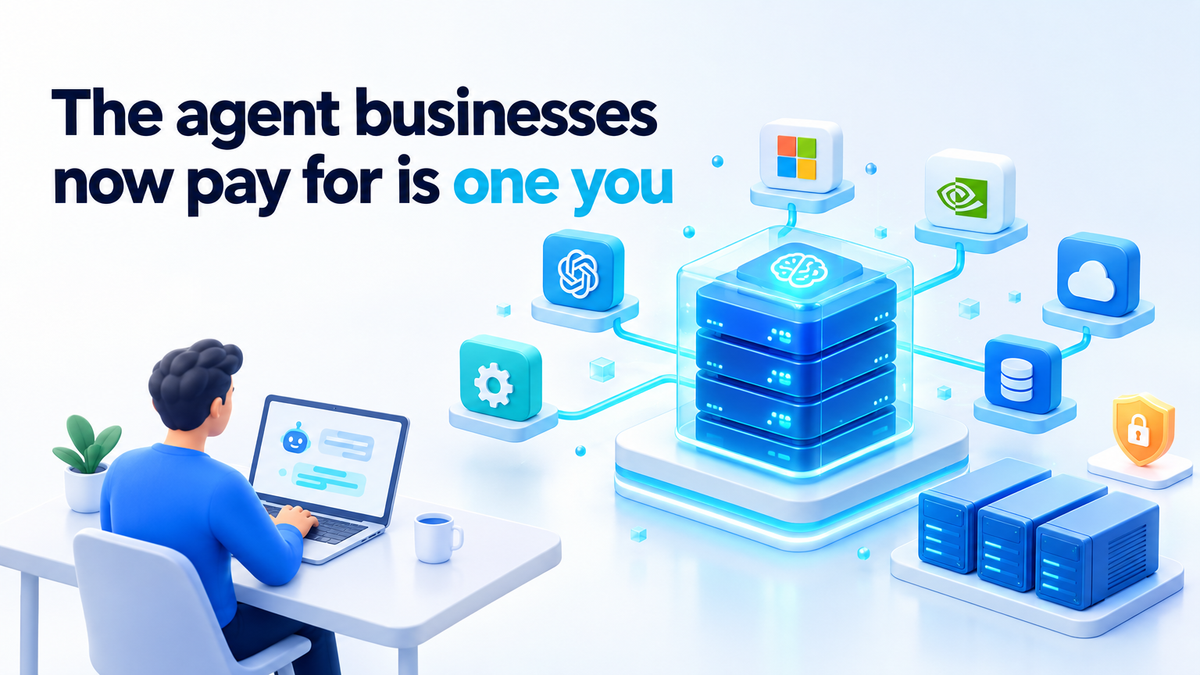
Nous Research has raised $90 million at a $1.5 billion valuation. The round was led by Robot Ventures, with NVIDIA, Microsoft's M12, Samsung, Union Square Ventures, Y Combinator and Menlo Ventures among the investors, and TechCrunch reports it as a Series B that brings the three-year-old company's total funding to $158 million. The money will build "Hermes for Businesses", which the company describes as a way for businesses to own their own intelligence stack, choose models on price and keep data private.
The product underneath is Hermes Agent, an MIT-licensed open-source agent released in February 2026. By the company's own estimate, it has been cloned more than 24 million times and drives roughly 2.5% of global AI token usage. The Wall Street Journal reported about $36 million in annualized revenue by mid-September and an expectation of passing $100 million before the end of 2026. For me the valuation is not the interesting part. The interesting part is that investors just paid for a kind of software you can install on your own box today and keep.
What it means to run your own AI agent
An AI agent takes a goal, asks a language model what to do next, runs tools such as a shell or an API call, and loops until the job is done. The agent is the loop and the model is the thing it asks. Owning an agent means owning both ends, or at least knowing which end you rent.
In practice, ownership comes down to four questions:
- The licence. Can you run, modify and keep a copy without asking anyone? An MIT or Apache 2.0 licence says yes, and a copy you have already downloaded stays under the licence it shipped with.
- Where it runs. Is the process, its memory and its files on a machine you control, such as a home server or a VPS in your name?
- Which model it calls. Is it pointed at a model server you run, or at an API key that is yours and that you can swap for another provider?
- Who can pull the plug. If the answer is only you, with
docker stop, you own it. If a vendor, a billing failure or a policy change can also stop it, you share it.
Nous CEO Dillon Rolnick put it in one line in the funding announcement: "The people using an AI system should control it." That is a fair test to hold any agent to, including the one I run myself, which is Hermes Agent on my own server.
A hosted agent is not wrong. It lives in someone else's account, and in return you get uptime, updates, a strong model and support. What it costs you is control: their roadmap, their price list, their terms, and your data on their servers. I wrote about that side today in a separate post on why a cloud AI agent is a rented dependency. An agent on your own box costs you hardware and time instead. Pick the bill you would rather pay.
Open source is not the same as yours
An MIT licence on the agent covers the agent's code. It says nothing about the model the agent talks to. If you point an open-source agent at a closed API, your setup is exactly as private and as durable as that API, no more.
The second gap is between "you can self-host it" and "you did". A self-hostable agent on a vendor's cloud console, using the vendor's model key, is a hosted agent with a nicer licence.
Before I trust any agent with a real job, I check four things:
- The agent's licence. Read the
LICENSEfile in the repository, not the marketing page, and check that plugins you depend on are not under a stricter one. - The model's weights. Can you download the weights for the model you plan to use and run them on hardware you have? Read the model's licence too, because some open-weight models carry use restrictions that the agent's licence does not.
- Whether it works with no outbound network. Cut its internet access and start it. If it fails because it phones home for telemetry, a licence check or a remote config file, you want to know that now, not during an outage.
- Whether its credentials can be revoked. Every key the agent holds should be one you can kill in one place without breaking anything else: a separate, scoped key per agent, never your personal GitHub token.
What a self-hosted agent stack looks like on your own box
This is the shape I use: the agent in a container, a model server or a key in your name, no host mounts, egress through a proxy that allows destinations by name, revocable credentials and logs you read. Start with two networks. The --internal flag means containers on agent-net cannot reach the internet at all.
docker network create --internal agent-net
docker network create egress-net
For a local model, Ollama is the simplest option. Pull the model while the container still has internet access, then move it onto the internal network:
docker run -d --name ollama -v ollama:/root/.ollama ollama/ollama
docker exec ollama ollama pull <model-name>
docker network disconnect bridge ollama
docker network connect agent-net ollama
Ollama serves an OpenAI-compatible API at http://ollama:11434/v1, and most open-source agents can be pointed at an endpoint like that. If you use a hosted model instead, put your own API key in the env file and allow that provider's domain in the proxy below.
Next, a small forward proxy that is the only thing allowed out. Here is a minimal squid.conf:
http_port 3128
acl allowed dstdomain api.github.com .example.com
http_access allow allowed
http_access deny all
docker run -d --name egress --network egress-net \
-v $PWD/squid.conf:/etc/squid/squid.conf:ro ubuntu/squid
docker network connect agent-net egressThen the agent itself, locked down:
docker run -d --name agent \
  --network agent-net \
  --read-only --tmpfs /tmp \
  --cap-drop ALL \
  --security-opt no-new-privileges \
  --memory 2g --pids-limit 256 \
  -v agent-data:/data \
  --env-file ./agent.env \
  your-agent-image
The agent.env file holds the model endpoint, the keys and HTTPS_PROXY=http://egress:3128, with NO_PROXY=ollama so local model calls skip the proxy. Most HTTP clients honour those variables, but check that yours does. If the agent refuses to start with --read-only, find out which path it writes to and give it a volume for that path, not a blanket mount of your home directory.
Now test the claims instead of trusting them. From inside the agent container, a request to a domain that is not on the list should fail, and the proxy log should show it as denied:
docker exec agent curl -sS --max-time 5 https://example.org
docker exec egress tail -f /var/log/squid/access.log
Lines marked TCP_DENIED show what the agent tried to reach that you did not expect. Read them, along with docker logs --since 24h agent, on a fixed day each week. Stopping it takes two steps: docker stop agent on your side and revoking the key at the provider.
The honest costs of owning it
Here is what you give up. A model that fits on one consumer GPU is usually behind the best hosted models on hard, multi-step work. Open-source agents are often less polished than paid products, and there is no vendor support line when an update breaks something at 11pm.
The biggest cost is your own evenings. Updates, patches and reading those logs are on you. If you will not do that work, a self-hosted agent becomes an unpatched server with a shell tool attached, which is worse than a hosted one.
Here is what you keep. The workflow keeps running when someone else's funding round, owner, pricing or regulator changes. A copy of an MIT-licensed agent on your disk stays usable under that licence, whatever any company decides later. A model whose weights you have stays the same model until you choose to replace it.
There is a middle path worth starting with: run the agent yourself, point it at a hosted model with your own key, and keep a local model as a fallback. You keep the loop, the tools and the off switch, and rent only the part that is hardest to run at home.
The funding news says businesses will pay to own their agent stack. The same ownership is available to anyone with a spare machine. The difference is that nobody runs it for you.
If you want help setting it up
If you would rather have someone build this stack and harden it for you, with the container, the model server, the egress proxy and the revocable keys done properly, take a look at the services page. You can also find me on Fiverr: hiteshsaini459 · Upwork: hiteshsaini25.