
A Provider API Key Is a Bearer Token With Your Money Attached
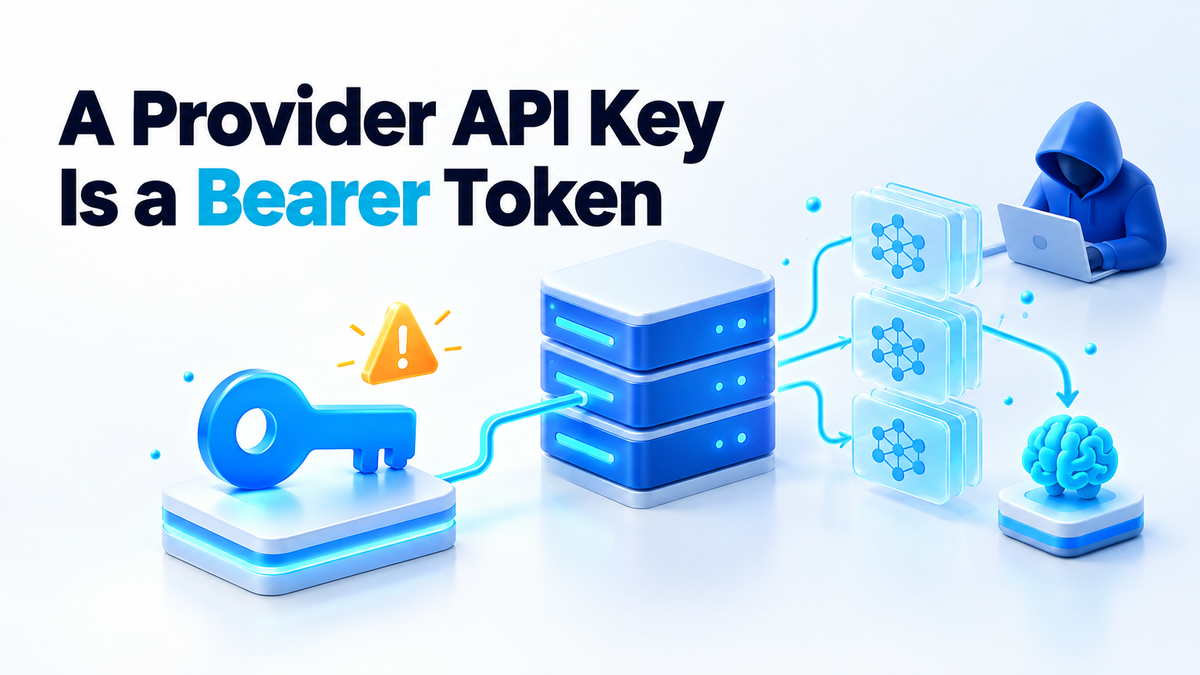
On 17 October 2026 the official OpenCode account said: “We had a security breach last night related to a large scale distillation attack that impacted 1.4% of OpenCode Console users.” The 1.4% is the company's own figure. In plain terms, a distillation attack means collecting a model's responses to train another model. OpenCode said affected users were notified by email that morning, that anyone who received no email was not affected, and that the group was a subset of users who had external providers linked to their accounts. It also said the incident is ongoing, that it could not share more detail yet, and that it is working with Anthropic, OpenAI and Google to remediate.
According to the notice as reported by Notebookcheck and Startup Fortune on the same day, the unauthorised access was to a legacy system the company was in the process of decommissioning. API keys stored in users' workspaces may have been exposed, including keys for OpenAI and Anthropic, and Startup Fortune also lists Google. The company told affected users it could not confirm whether the exposed keys had been used, and that its investigation “to date” had found no evidence that other data had leaked. Nothing here says the OpenCode command-line tool or its source code was compromised. The tool is open source and runs on your own machine, but for these users the keys were sitting in someone else's console.
The first hour after a leaked API key notice
If you got the email, or you are not sure whether you ever linked a provider to the Console, work through this in order. The order matters more than speed.
- Revoke first, ask questions later. A revoked key stops the meter. An investigation does not. Type the provider's address into your browser yourself instead of clicking a link in an email, because a breach notice is exactly the kind of message a phisher copies. Then revoke the key on the API keys page in the Anthropic Console, the API keys page on the OpenAI platform, or the Credentials page in Google Cloud console.
- Issue a new key. Do not re-enable the old one. The old string may be in someone else's hands, so treat it as dead. Name the new key after the one place it will live, such as
opencode-laptop, so you can tell later where it lives. - Check usage and billing back to the incident date. Read the usage and billing pages day by day from 16 October onward. Look for models you never call and traffic at hours when you were asleep. On the r/opencode thread about the incident, one user reported $400 in unauthorised charges on an Anthropic account, and another reported around €200 in Google usage with their project suspended for abuse. These are users' own reports and they are unverified, but they show why this check is worth ten minutes.
- Set a hard spend cap on the provider account. If the provider offers a monthly limit, set it close to what you actually spend. If it only offers alerts, as Google Cloud budgets do, set those and treat them as an alarm. They will not stop the spending on their own. A cap will not prevent a leak, but it puts a ceiling on what a leak can cost.
- Find every place the old key was used. A rotation that misses one pipeline is not a rotation. Check each of these:
- CI secrets: GitHub Actions repository and organisation secrets, GitLab CI/CD variables.
.envfiles in every project directory, including old clones.- Container environment variables.
docker inspect --format '{{.Config.Env}}' container-nameshows what a running container was started with. - Compose files:
environment:blocks and any file named inenv_file:. - systemd units:
Environment=lines and any file named inEnvironmentFile=, usually under/etc/systemd/system/. - Your shell profile (
~/.bashrc,~/.zshrc) and your shell history. - A teammate's laptop. Ask them directly, because you cannot grep someone else's machine.
On your own boxes, a search by key prefix catches most of the files. Anthropic keys start with sk-ant- and Google API keys with AIza. Use sudo for the system paths:
grep -rnI 'sk-ant-' ~/projects ~/.config /etc/systemd/system
grep -rnI 'AIza' ~/projects ~/.config /etc/systemd/system
This lists every key of that kind on the machine, not only the leaked one. That is useful. Anything it finds that you did not know about deserves a look.
If the key ever went into a Git repository, even in a commit you later reverted, deleting the file does not remove it from history. I wrote up what one stolen credential can reach from Git history, and the same logic applies here.
Why a stored key is worse than it looks
A provider API key is a bearer token. Whoever holds the string can use it from any machine at any hour. There is no second factor, no device binding, and, in my experience, no notification when it is used from somewhere new. The bill is yours.
Logging in to the same provider's website needs a password and usually a second factor. The key skips all of that on purpose, because it has to work inside scripts and CI jobs where nobody is around to approve a prompt. That same convenience is what makes a stored copy valuable to someone else.
It is also why the billing side matters. In my breakdown of what a self-hosted AI agent actually costs each month, a normal month for one developer is predictable. A key in someone else's hands does not have a normal month, and the usage lands on your account until you dispute it.
A short aside from running small setups: the incidents that hurt are rarely exotic exploits. Usually it is a credential that outlived the place it was created for, like a key pasted into a service for a feature you tried once and then forgot. According to the reports, these keys sat in a system that was being retired.
Keep the key out of someone else's console
Here is the distinction most people never think about. When you run OpenCode in your terminal with ANTHROPIC_API_KEY set in your own environment, the key stays on hardware you control. When you store the same key in a vendor's hosted console, it also lives in their database, their backups and any older system that still holds a copy.
“The tool is open source” means you can read the code running on your laptop. It says nothing about how a hosted service stores what you paste into it. An old system on its way out also tends to get less attention than the new one. You can audit the client. You cannot audit their legacy servers.
The pattern I would suggest for a self-hoster is plain:
- Keys in a
0600env file or the process environment on your own box. Only the owner can read the file, and it never gets committed. - One key per tool or per project. If one leaks, you revoke one key and one thing stops working, not everything.
- Spend limits and usage alerts turned on before you need them. They are dull to set up, and they cannot help you after the fact.
- A written inventory. Which key, which provider, where it lives, when it was created and when it was last rotated.
Setting up the env file takes a minute:
mkdir -p ~/.secrets
chmod 700 ~/.secrets
install -m 600 /dev/null ~/.secrets/opencode.env
nano ~/.secrets/opencode.env
Put one line in it, such as ANTHROPIC_API_KEY=sk-ant-..., and load it only in the shell that needs it with set -a; . ~/.secrets/opencode.env; set +a. For a service, point systemd's EnvironmentFile= or Compose's env_file: at a file with the same 0600 permissions. The inventory can be a plain text file that holds names and locations, never the keys themselves:
anthropic  opencode-laptop  ~/.secrets/opencode.env    rotated 2026-10-17
google     blog-pipeline    /etc/blog/env (systemd)    rotated 2026-10-17
What we do on this box
On my own server and laptop, provider keys live in 0600 env files, one per service, loaded through EnvironmentFile= or env_file:. Nothing goes into a Compose file directly, and nothing goes into a repository.
I keep separate keys per lane instead of one master key. The coding agent on my laptop has one key, the publishing pipeline for this blog has another, and experiments get a throwaway key that I delete when the experiment ends. Each key has a spend cap, or a low alert where the provider only offers alerts.
I treat rotation as a habit. I rotate on a calendar reminder, and right away when a laptop changes hands or a vendor sends a notice like this one. Because the inventory says where each key lives, a rotation takes minutes.
One honest limitation: some services will not issue scoped keys, and some hold a credential you cannot revoke yourself without a support ticket. That is a vendor risk you are accepting. I write it down in the inventory so it is a decision I made rather than something I forgot. When a hosted service needs a provider key to work at all, it gets its own key with its own cap, so I know the worst case before it happens.
The short version
None of this needs special tools. It needs a list, a few file permissions and the habit of revoking first. If you would rather have someone audit where your keys live and tighten it, that is work I take on. Details are on the services page.
Fiverr: hiteshsaini459 · Upwork: hiteshsaini25