
Your GPU Is Mostly Idle: How to Share It Between AI Models
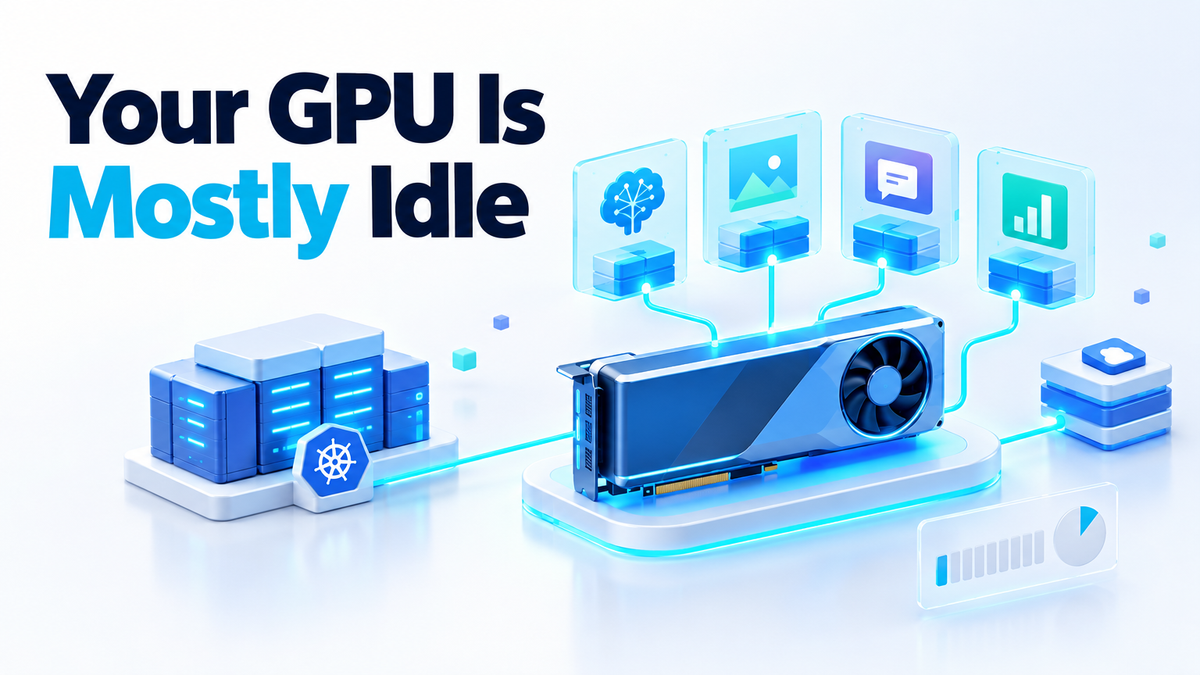
On 13 October 2026 NVIDIA published that the full NVIDIA Run:ai platform is being made available as open source software, as a component of NVIDIA DSX OS within the NVIDIA DSX AI Factory Platform. Run:ai is a Kubernetes-native platform for AI workload and GPU orchestration. On the same day Nebius, a launch partner, made it available in Nebius AI Cloud Applications as a one-click application deployment.
If you run one GPU under a desk, none of that changes your setup tomorrow. What makes it worth your attention is the problem Run:ai was built for: expensive GPUs sitting idle in one place while work waits in a queue somewhere else. The same waste happens at home, just smaller. You have one card, a handful of models, and a decision about whether they take turns or split the device.
What decides whether you can run multiple AI models on one GPU
The limit you hit first is memory, not compute. A model's weights have to fit in the card's VRAM before it can answer anything, plus a little extra for the conversation it is working through. Two models can only share the card if both fit at the same time.
The good news is that a model only takes the memory it needs. A small embedding model next to a mid-sized chat model can fit on a card that would never hold two large chat models. That is why I tell people to shop for local AI hardware by memory, not by the price tag.
Compute is the part that sits unused. A loaded model holds its memory all day, but the GPU only works while it is generating a reply. A busy GPU is the odd case. An idle one with its memory full is the normal one.
One honest warning. The datacenter tooling in this article, including fractional GPU allocation and MIG-style splitting of one card into isolated pieces, is built for NVIDIA datacenter cards running in Kubernetes clusters. It is not built for a single consumer card in a desktop. The ideas carry over to a homelab. The tools mostly do not.
Two ways to share a GPU: slice it or take turns
There are two basic ways to put several workloads on one device. You can slice it, so each model gets its own isolated chunk. Or you can share it in time, so models take turns and requests queue.
Slicing buys isolation and predictability. A model that suddenly needs more memory cannot push its neighbour off the card. The cost is waste: a slice stays reserved even when its model is asleep, and a slice that is too small means the model will not load.
Taking turns buys utilisation. Any model can use the whole card while it runs. The cost is that requests wait when two arrive together, swapping models takes time, and without hard limits one greedy job can run the card out of memory for everyone.
The same trade-off drives the cluster version, which NVIDIA and Nebius describe as a shared GPU cluster serving several teams with uneven, bursty demand. Without orchestration, the usual alternatives are static partitions, where GPUs sit idle in one partition while another queues, or a free-for-all where whoever submits first wins.
Two pieces NVIDIA open sourced on 13 October do this job at cluster scale, and each can be adopted without the rest of the platform. The GPU Fractioning Operator provides CUDA-native fractional GPUs with hard memory isolation, which is slicing. KAI Scheduler handles GPU-aware Kubernetes scheduling. It has been open source under Apache 2.0 since April 2025 and is a CNCF Sandbox project, with 1,576 stars on GitHub as of 14 October 2026.
Nebius and NVIDIA also published joint benchmarks of fractional allocation. These are the vendors' own numbers: Nebius published them in its own post, using an NVIDIA reference architecture cluster on its own cloud and the commercial Run:ai v2.24 release, and it is not an independent test. In that vendor test, at a 0.5 GPU allocation per workload, workloads held 77% of full-GPU throughput and 86% of concurrent-user capacity (8,768 users against 10,200 at full allocation), with time to first token under one second. In the same Nebius post, co-locating chat, reasoning and embedding models on shared GPUs on Nebius AI Cloud served roughly 3x more total users than dedicated allocation, with combined throughput above 350,000 tokens per second.
Those are datacenter results, not consumer-card or homelab results, so do not expect the same figures from a desktop GPU. The lesson that travels is simpler: giving every model a whole device by default is often the wasteful choice.
What to do this week with one GPU
You do not need Kubernetes to stop wasting a single card.
1. Measure before you buy or split anything
Start with what the card is doing when nobody is using it. On Linux with the NVIDIA driver installed, running nvidia-smi on its own shows memory in use and how busy each GPU is. Check it while the server is quiet, then while you use your apps.
If memory is mostly full and utilisation sits near zero, your problem is memory. A faster card would not fix it.
2. Keep one model resident and point several apps at it
A common waste at home is loading similar models more than once. A chat interface, a coding assistant and an automation tool can all talk to one model server over its HTTP API instead of each loading its own copy. Servers such as Ollama or the llama.cpp server are built to be shared this way.
Pick one general model that is good enough for most jobs and leave it loaded. Requests from different apps take turns on it, which is time sharing for free.
3. Choose a smaller quantisation when memory is the limit
Quantisation stores each weight with fewer bits. A 4-bit version of a model needs roughly a quarter of the weight memory of the 16-bit version, which can be the difference between one model fitting and two. Quality drops as you go smaller, so test the smaller version on your own tasks first.
4. Only split the device when two models must answer at once
Reach for splitting only when you genuinely need two different models answering at the same moment and neither can wait for the other to reload. Even then, on a consumer card, it mostly means choosing model sizes so both fit and leaving both loaded. Most model servers let you set how many models stay loaded and how long an idle one stays in memory; check your server's documentation for the exact setting.
What the open source licence gives you, and what it does not
The code is public. It lives in the run-ai repository in the dsx-ai-factory organisation on GitHub at github.com/dsx-ai-factory/run-ai, under the Apache 2.0 licence. The monorepo contains the control plane services, the in-cluster Kubernetes operator and controllers, shared libraries and clients, the installer, and a local development environment.
NVIDIA also publishes the complete platform on NVIDIA NGC as a Community Product with a Helm chart, and says "no paid NVIDIA Run:ai subscription or NVIDIA support entitlement is required". The same post is clear that "enterprise support is not included". If it breaks, you are the support team.
The commercial product has not gone anywhere. Run:ai continues to be available through NVIDIA-supported commercial offerings, including as a standalone product, through NVIDIA Mission Control and NVIDIA AI Enterprise, and in selected cloud marketplaces. Licensing and support terms vary by offering.
For a self-hoster, open source at cluster scale is mostly a promise about your own future. You can read the code, self-host the control plane, and stop treating the orchestration layer as a rented dependency. It is the same rule I apply to models: owning the software only counts if you can run it yourself. With one GPU you do not need any of this yet, but if your homelab grows into a small Kubernetes cluster, you can start with KAI Scheduler on its own.
Start with the card you already have
For most home setups, the right way to share one card is one resident model, several apps pointed at it, and a quantisation that leaves some memory spare. Measure first, and let the numbers tell you when you need more.
If you would rather have someone size the hardware and set up the serving stack for you, have a look at the services page. Fiverr: hiteshsaini459 · Upwork: hiteshsaini25.