
Your mailbox is the master key: lessons from the Nikkei breach
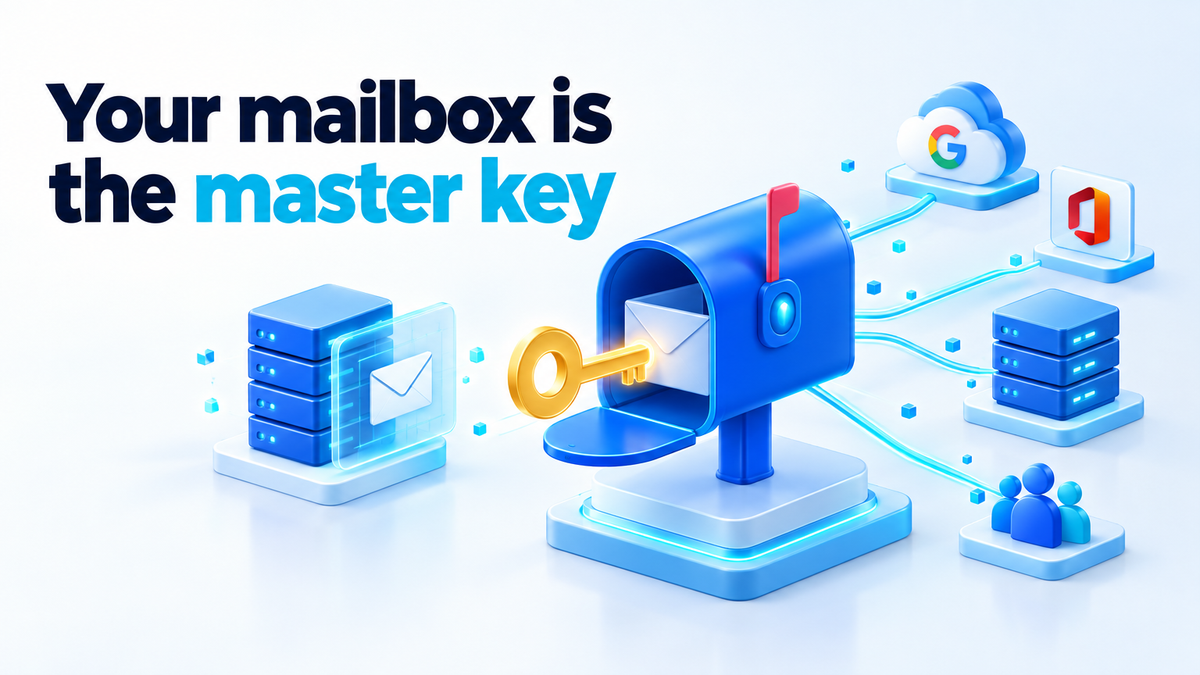
Over the weekend, Nikkei Inc., the Japanese publishing group that owns the Financial Times and The Nikkei, disclosed two breaches of employee email accounts. In late July, someone accessed an employee's Google Workspace account; Nikkei learned of it in early August from a Google notification, and the names and email addresses of 1,646 employees and business partners may have been exposed. In September, a different employee's Microsoft 365 account was accessed and, on 30 September, used to send roughly 9,000 phishing emails to staff and to interviewees.
Nikkei has not attributed either intrusion to a threat actor and says there is no evidence the exposed information has been misused. Nothing in its statements describes exotic malware, and its fix was a password change. Both times someone used a real employee's account, and in the second case the account was the weapon: the phishing came from an address people already trusted.
Your mailbox is the master key, and what self-hosted email changes
Every password reset link for your bank, registrar, cloud provider and password manager lands in your inbox, along with invoices and "confirm it's you" codes. That makes the mailbox the one account that can reset almost every other one. Whoever holds it can reset your registrar login, or write to your contacts as you. That is why Nikkei warned affected people to watch for follow-up emails impersonating Nikkei or its subsidiaries. A list of names plus a trusted sender is what a second wave needs.
When you rent your mailbox, the provider holds part of that key. Your recovery path runs through their recovery flow and their support desk. Large providers catch a lot of abuse, but someone else's process can also lock you out, or let someone else in.
Running self-hosted email changes who holds the key. You hold the admin credentials, the full logs for as long as you keep them, and the recovery path. No support desk can be talked into resetting your account, because the support desk is you.
What self-hosting does not fix
A mail server you run yourself falls to the same attack. If you reuse your mailbox password on a forum that gets breached, the attacker signs in to your server exactly as they would to Microsoft 365. If you type it into a convincing fake login page, same result. An unpatched webmail hole is your problem, not a provider's.
You also lose something. Nikkei found out about the first incident because Google told it. On your own server, nobody watches sign-ins for odd locations unless you set that up. Self-hosting moves the trust from a provider to you. It does not remove the need for controls.
The control that matters most is the second factor, and the type matters. A six-digit code from SMS or an app can be phished: a fake page asks for it and relays it to the real one within seconds. A hardware key using FIDO2/WebAuthn, or a passkey, is tied to the real site's domain and will not complete a sign-in on a lookalike. Register two keys so that losing one does not lock you out.
One caveat for self-hosters: most mail apps still use IMAP and SMTP with a plain password, which cannot do a hardware-key check. Stacks such as mailcow handle this with per-device app passwords. Treat each one as a key you can revoke on its own, and keep webmail and the admin panel behind the hardware key.
The controls that would have blunted the Nikkei case
Turn on sign-in alerts and read them. Google Workspace and Microsoft 365 can both alert you to new sign-ins and suspicious activity. Send those alerts somewhere a person looks, and not only to the mailbox the attacker is now reading. On your own server, a small script watching the Dovecot log for logins from a new IP address does the same job.
Revoke sessions and tokens, not only the password. Depending on the provider, a new password does not always end access that already exists: a browser still signed in, an app password, a third-party app with OAuth access to your mail. After a suspected compromise, change the password, then sign out every session, delete every app password and review every connected app.
Give mail its own identity and its own admin account. The mailbox you read every day should not administer the mail system. Use a separate admin login for admin work only, and on your own server, SSH with a key rather than the mail password.
Limit what one mailbox can reach. As I wrote in the earlier post on least privilege for self-hosters, the real risk is an account that can reach everything. For mail, that means no shared "everything" login that opens the mailbox, the file share and the server panel at once, and no saved passwords in the browser profile you use for webmail. On your own server, add a per-user outbound rate limit with the rspamd ratelimit module or mailcow's mailbox settings, so one account cannot send thousands of messages in an afternoon.
One thing these settings cannot do: SPF, DKIM and DMARC only prove a message came from your domain's real servers. When the attacker is signed in to the real account, their phishing passes every check. The defence has to sit at the login.
Logging: when did they get in, and what did they do
You can only answer those questions from records that existed beforehand. Keep these:
- Successful sign-in records with IP address and device. In Microsoft 365 that is the Entra ID sign-in log; in Google Workspace, the login audit log in the Admin console. On your own server, Dovecot logs each IMAP login with the user and remote IP, and your webmail keeps its own login log.
- The mail log. Postfix records the authenticated user for each submitted message (the
sasl_usernamefield), plus recipients and times. That record survives even if the attacker cleans up the mailbox. - The sent-items trail. Useful, but it lives inside the mailbox, so a careful attacker deletes it first.
- Rule and settings changes. A new forwarding rule is a classic way to keep reading mail after a password change.
The log also has to live somewhere the compromised account cannot reach. If the same password opens the mailbox and the server's admin panel, the attacker can delete the evidence along with the sent mail. On a self-hosted box, ship logs off the machine as they are written, with rsyslog forwarding or a Loki or Graylog instance on a separate host with its own credentials. Mine forwards to a small machine the mail admin account cannot log in to. On a rented service, check how long your plan keeps sign-in logs and export them if the window is short.
What to do this week if you rent your mail
Keeping your mail with Google, Microsoft, Fastmail or Proton is a reasonable choice. Here is the realistic half-step.
- Turn on phishing-resistant MFA everywhere it is offered. Add a hardware key or passkey to your mail first, then your password manager, registrar and cloud accounts. Remove SMS as a fallback where you can.
- Check and revoke old sessions and app passwords. On Google, review "Your devices" and third-party app access on the Security page. On Microsoft, review signed-in devices and app permissions, and use "Sign out everywhere" if anything looks wrong.
- Search your sent items for mail you did not send. Then check filters, forwarding addresses and auto-replies.
- Use a separate browser profile or app just for mail and your password manager. No extensions, no casual browsing.
If you then decide you want your own mailbox, go in with clear eyes. Deliverability is the hard part: a new server's IP has no reputation, and reaching Gmail and Outlook inboxes takes correct SPF, DKIM, DMARC and reverse DNS. You need backups you have tested by restoring. And you are now the administrator of record, so the patching, monitoring and 2 a.m. fixes are yours.
The short version
Nikkei did the sensible things once it knew. The lesson for the rest of us is that a working login to someone's email can do more damage than most malware. Wherever your mailbox lives, the same work protects it: a phishing-resistant second factor, sessions you actually revoke, logs kept out of reach, and accounts that cannot touch everything.
If you would rather have someone move your mail, harden the accounts or set up the logging for you, the details are on the services page. Fiverr: hiteshsaini459 · Upwork: hiteshsaini25.