
The Vendor's Patch Pipeline Stops at Their Cloud
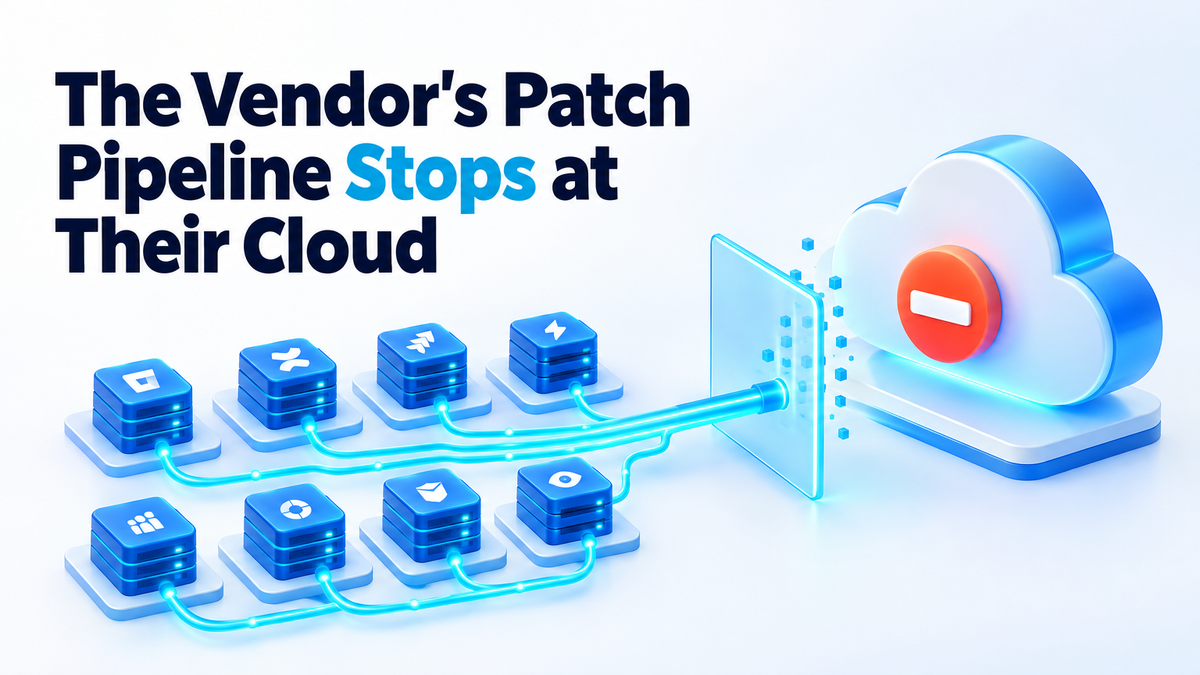
On 5 October 2026 Atlassian published an advisory for CVE-2026-21589, an arbitrary file access flaw in eight of its self-hosted Data Center products: Bitbucket, Confluence, Jira Software, Jira Service Management, Bamboo, Crowd, Crucible and Fisheye. An unauthenticated attacker can read specific files inside the web application root directory, as long as they already know the file's exact name and path. Atlassian assigned it a CVSS v4.0 score of 9.3. The next day, watchTowr Labs published a public technical analysis and a file-read proof-of-concept.
The line I keep coming back to is in the advisory itself. Cloud customers were patched automatically and need to take no action. Every self-hosted copy stayed exactly as it was until an administrator found out, logged in and applied the update.
Why self-hosted patch management is your job, not the vendor's
When you use a managed service, the vendor owns the whole patch pipeline. They find the bug, build the fix and roll it out to servers they control.
When you run the same software on your own hardware, the vendor's pipeline stops at their cloud. They write the advisory and ship the fixed release. Getting that release onto your machine is your work, and nobody else is going to do it for you.
That is the trade you made in exchange for control over your data, your hardware and your upgrade schedule. I think it is a good trade, and I make it myself. It just comes with an unglamorous job attached.
A routine that works has to cover three things:
- Know what you run. Product, version and where it lives.
- Hear the advisory. The news has to reach you, instead of waiting for you to go looking.
- Apply the fix. Including in the middle of a busy week, when a proof-of-concept is already public.
If one of the three is missing, the other two do not help much. I wrote about giving a single component its own schedule in the post on patching a self-hosted AI gateway. This is the same idea, applied to everything you run.
Know what you actually run
The Atlassian advisory named eight products. Confluence and Jira are easy to remember because people open them every day. The harder question is whether a Fisheye or Crucible instance is still running on a VM someone set up years ago, or whether an old Bamboo server is still sitting on a box nobody logs into.
Software nobody uses still answers on the network, and it still needs the patch.
"We'll remember" fails for ordinary reasons. The person who installed it moves on. A test instance quietly becomes production. Memory also never records version numbers, and the version is the first thing an advisory asks you about.
The fix is a plain inventory. A spreadsheet or a text file in Git is enough if every entry records:
- Product name, written the way the vendor writes it in advisories.
- Version that is actually running, not the one you meant to install.
- Where it runs: host, container, every cluster node and any mirrors.
- Exposure: whether it is reachable from the internet or only from your internal network.
- Owner: the person who will apply the update.
The "where it runs" column matters. Atlassian's temporary mitigations for this flaw have to be applied on every cluster node, including Bitbucket mirrors. An entry that just says "Bitbucket" does not tell you where the work is.
Check the list against reality on a schedule. On a Docker host, that is one command:
docker ps --format '{{.Names}}\t{{.Image}}'A scanner can help you find things you forgot, but it only reports what it can reach and recognise. I covered those limits in the post on Java bugs no scanner can see.
Hear about the advisory while it still matters
A CVE only reaches you through a channel you set up on purpose. For most self-hosted software, that means some mix of:
- The vendor's security advisories, through whatever email list or feed they offer.
- The project's own security advisories or release feed, for open-source software.
- A general CVE feed that you actually read.
- An alert that matches new advisories against the products and versions in your inventory.
The last one is the most useful, and it only works if the inventory exists. A feed of every new CVE is noise. A feed filtered to the products you actually run is a signal you will act on.
Timing is the other half. Here the advisory went out on 5 October and the public proof-of-concept followed on 6 October. If you only review security news once a week, the first time you hear about a flaw like this, working code may have been public for days.
Atlassian says it has no evidence the flaw is being exploited in attacks, and that is good news. A public proof-of-concept still means the hard part of writing an exploit has been done in the open. Send critical advisories for products you run somewhere you look every day, such as a phone notification or a chat channel, and keep the weekly review for routine updates.
The emergency path when a proof-of-concept drops
Write this path down before you need it.
- Patch to the fixed version first. Rapid7's advice for this flaw was to patch on an emergency basis, outside normal patch cycles. Read the advisory to find the fixed release for the version line you run.
- Stage it, quickly. Take a backup or snapshot, apply the update to a staging copy or a single node, and check that the application starts and users can log in. Then roll it to the rest. This should take hours, not weeks.
- Know your rollback. A VM snapshot, a database backup or the previous container image tag. Test the restore before an emergency.
- If you truly cannot patch today, shrink the exposure. Atlassian recommends restricting external network access, plus temporary mitigations: a WAF or proxy rule that blocks the traversal pattern, Tomcat RewriteValve rules for Confluence, Jira Service Management, Jira, Bamboo and Crowd, and a URL rewrite rule for Bitbucket. Apply them on every cluster node, including Bitbucket mirrors.
Atlassian is clear that these mitigations are limited and are not a replacement for patching. They buy time to plan the real fix.
Network restrictions are also worth having before any advisory arrives. In one chain documented by watchTowr, reading WEB-INF/classes/crowd.properties from a Crowd deployment with Jira configured exposed application credentials. With network access to Crowd, those credentials were used to create a user and add it to jira-administrators. Crowd's IP allowlisting can block that route.
Check the logs, then say only what you can
Atlassian urges administrators to review access logs for the traversal pattern, and Rapid7 recommends the same. watchTowr's analysis shows the flaw relies on a double-colon (::) sequence in web-resource requests, so search your reverse proxy and Tomcat access logs for it.
Be careful with the conclusion. "We found nothing" only means something if your logs cover the whole window, from before 5 October to the moment you patched. If your logs rotate after a few days, or the proxy in front of the application does not log at all, the honest answer is "we don't know". Fix the retention now.
The job that comes with the deal
None of this is a reason to give up self-hosting. The vendor's patch pipeline ends at their cloud, and yours has to start at your server: an inventory you trust, advisories that reach you, and an emergency path you have already written down.
If you would rather have someone audit the versions you run and set up the advisory alerts and the patch routine with you, take a look at my services page. Fiverr: hiteshsaini459 · Upwork: hiteshsaini25