
What Is Self-Hosting? A Beginner's Guide (2026)
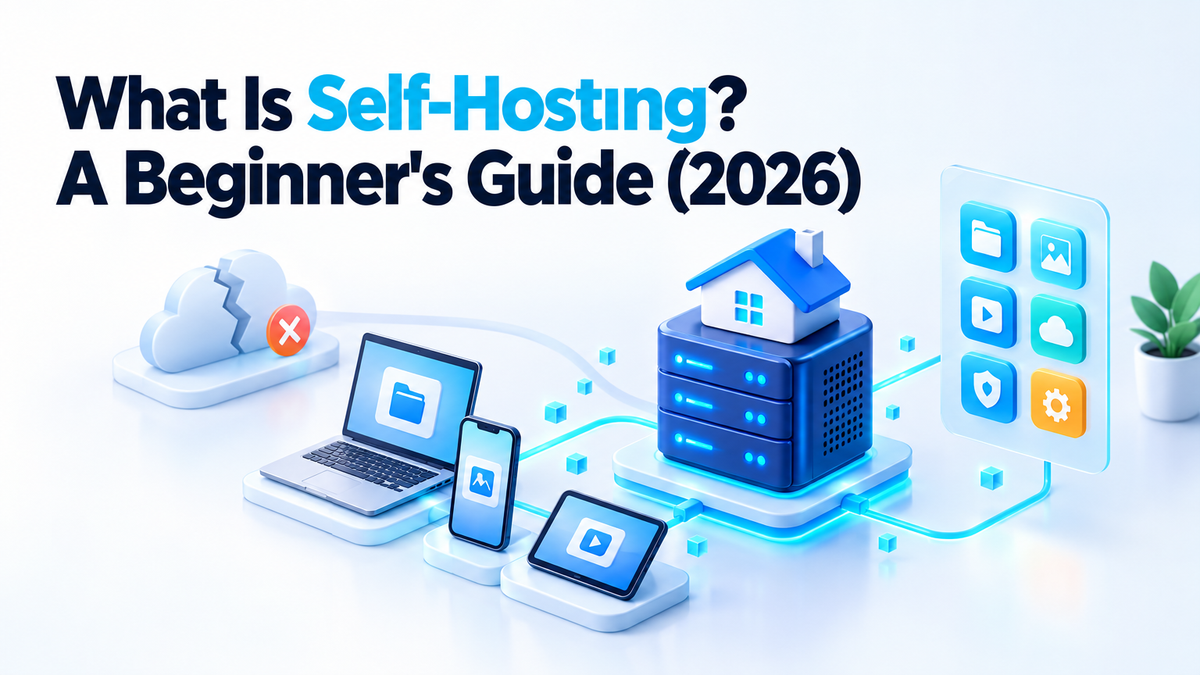
Three years ago a client messaged me at 11 PM: "Google just deleted my Drive account, 40GB of client files, gone." Turned out someone flagged his account during a routine review and support took nine days to even respond. He got his files back eventually. But that week taught him something I already knew from running servers for a living: when your data lives on someone else's infrastructure, you're a guest in their house, and guests don't get to argue about the rules.
That's usually the moment people start Googling "what is self hosting" at 1 AM. So let's actually answer it, without the fluff.
What Is Self-Hosting, In Plain English
Self-hosting means running software and storing your data on a server you control, instead of paying a company to run it for you on their servers. Instead of Google Drive, you run Nextcloud. Instead of Zoom, you run Jitsi or BigBlueButton on your own machine. Instead of Slack, you might run Matrix or Rocket.Chat.
The core idea is control. You decide where the data physically sits, who can access it, when it gets updated, and what happens to it if a company decides to shut down a product (which happens more often than people think — I've had three clients migrate off tools that just vanished).
How Self-Hosting Actually Works
Here's the part most guides skip. In practice, a self-hosted setup has four pieces:
1. A server
This is either a VPS (rented server, like from Hetzner, DigitalOcean, or Contabo) or physical hardware sitting in your office or home — I've set up plenty of both, including a client running Nextcloud off a repurposed Dell Optiplex under his desk. For most beginners, a VPS is the sane starting point. No power outages taking your files offline, no fan noise.
2. Docker (usually)
Almost every self-hosted app I deploy today runs in Docker containers. It isolates each app, makes updates less terrifying, and means if Nextcloud breaks, it doesn't take your Jitsi install down with it. I still remember the pre-Docker days doing manual LAMP stack installs — nobody should go back to that.
3. A reverse proxy
Something like Nginx, Caddy, or Traefik sits in front of your apps and routes traffic — cloud.yourdomain.com to Nextcloud, meet.yourdomain.com to Jitsi, chat.yourdomain.com to Matrix, all on one server. This is where most beginners get stuck, honestly. Getting the proxy config and DNS to play nice is 70% of the support tickets I get.
4. SSL/TLS
Free certificates from Let's Encrypt, usually auto-renewed via the reverse proxy. Non-negotiable — don't run anything with real data over plain HTTP.
What Can You Actually Self-Host?
Almost anything that has a cloud version has a self-hosted alternative now. The ones I get hired for most:
- Nextcloud — file storage and sync, replaces Google Drive/Dropbox. I've personally deployed over 30 instances, mostly for small businesses and NGOs in India and the Middle East.
- Jitsi — video calls, replaces Zoom. No per-minute limits, no account required for guests.
- Matrix (with Element) — encrypted team chat, replaces Slack.
- BigBlueButton (BBB) — full virtual classrooms with whiteboards and breakout rooms. I've set this up for two Indian ed-tech startups.
- Moodle — course management for schools and training businesses.
- CyberPanel — a control panel to manage all of the above on one box without living in the terminal.
The Cost Reality
This is where I disagree with a lot of "self-hosting saves you money!" content, because it's only half true.
A VPS that can comfortably run Nextcloud + Jitsi + a reverse proxy costs roughly $10–20/month (4GB–8GB RAM). Compare that to Google Workspace at $12/user/month or Zoom Pro at $15.99/month — and self-hosting starts winning fast once you have more than 2-3 people using it, because the server cost doesn't scale per-user.
What people forget: your time isn't free. Initial setup, updates, backups, and the occasional "why is Nextcloud throwing a 500 error at 2 AM" debugging session all cost hours. If your time is worth $30/hour and setup takes 6 hours, that's $180 you didn't budget for. This is genuinely why freelancers like me stay busy — most business owners would rather pay once for a proper setup than learn Nginx configs from scratch.
Cloud vs Self-Hosted — Quick Comparison
| Factor | Cloud Subscription | Self-Hosted |
|---|---|---|
| Monthly cost (5 users) | $50–80 (per-user pricing) | $10–20 flat (VPS) |
| Data privacy | Stored on vendor's servers, subject to their policies | Fully under your control |
| Control / customization | Limited to vendor's features | Full control, plugins, custom domains |
| Maintenance effort | Zero — vendor handles it | Ongoing — updates, backups, security patches |
Pros and Cons — Honestly
What's genuinely good about self-hosting
- No per-user pricing traps — one server can serve 5 people or 50 for close to the same cost
- Your data doesn't get scanned, indexed, or used to train someone's AI model
- No surprise feature removals or price hikes because a company changed strategy
- You can customize things cloud tools flatly won't allow — custom branding, storage limits, integrations
What nobody tells you about the downsides
- You are now responsible for uptime. If the server goes down at 3 AM, that's your problem, not a support ticket
- Security patching is on you. An unpatched Nextcloud instance is a real target — I've cleaned up two hacked installs this year alone, both from skipped updates
- Backups aren't automatic unless you set them up yourself, and "I'll do it later" is how people lose everything
- The learning curve for DNS, SSL, and Docker is real if you've never touched a terminal
When You Should NOT Self-Host
I'll talk myself out of business here for a second: if you're a solo user who just wants file backup and doesn't care about privacy, paying $2/month for cloud storage is genuinely fine. Same if you have zero technical comfort and no budget to hire anyone — a broken self-hosted setup with no backups is worse than a boring cloud subscription. Self-hosting makes the most sense once you have a team, handle sensitive data (health records, client contracts, financial info), or you're already paying enough in cloud subscriptions that a VPS pays for itself in 2-3 months.
How to Actually Start
If you want to try this yourself before hiring anyone:
- Step 1: Get a VPS with at least 4GB RAM (Hetzner and Contabo are cheap and reliable in my experience) and point a domain at it
- Step 2: Install Docker and Docker Compose, then pull an official image — Nextcloud's official Docker setup is the easiest first project
- Step 3: Set up Nginx or Caddy as a reverse proxy with Let's Encrypt for SSL, and configure automated backups from day one, not after you lose something
Or Skip the Trial and Error
I run SelfHost Pilot because I kept getting the same message from business owners: "I tried to set this up myself and broke it." I'm a Level 2 Seller on Fiverr with a 5.0 rating across 86 reviews, and deploying Nextcloud, Jitsi, Matrix, BigBlueButton, Moodle, and CyberPanel setups is what I do full-time. If you want this done properly the first time — hardened, backed up, and documented so you're not locked into needing me forever — find me on Fiverr or Upwork and we'll figure out what fits your setup. 🙂