
An Automated Scan Is a Lead, Not a Verdict
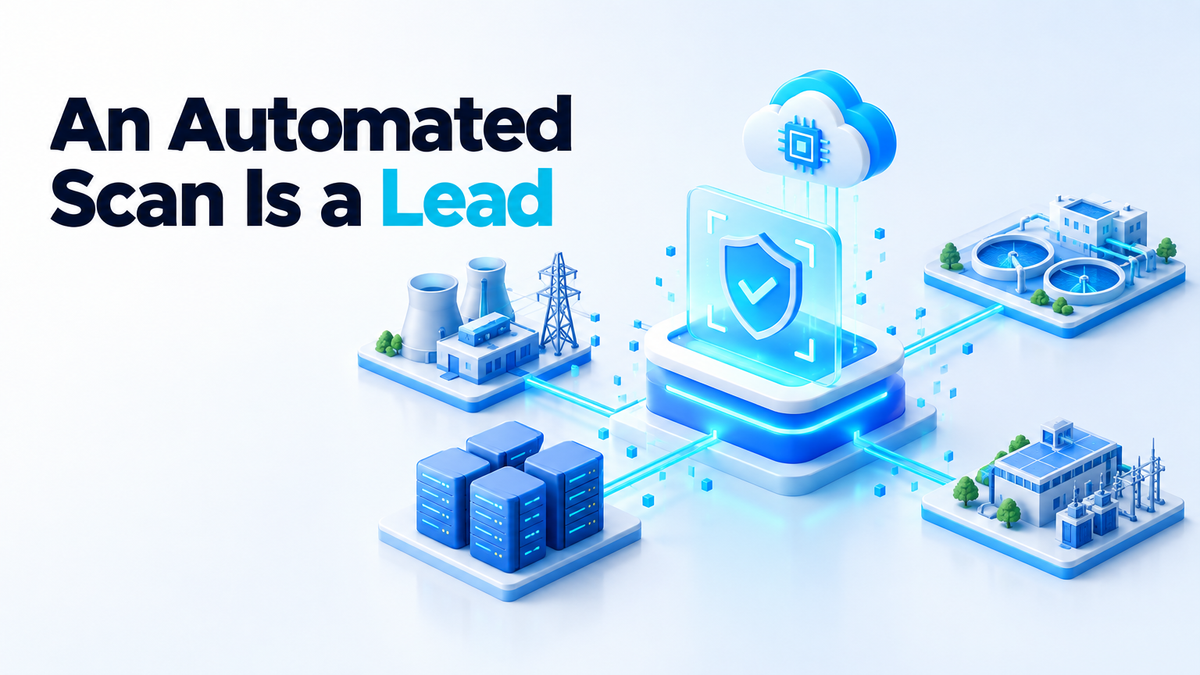
On 8 October 2026, Anthropic announced a Critical Infrastructure Defense Program, first shared with Axios. It will provide Anthropic's frontier AI models, on-site engineers and threat research to companies already responsible for securing critical infrastructure systems such as power grids and water utilities. Those companies will use them to find and fix vulnerabilities in their customers' systems. The founding partners are Accenture, Booz Allen Hamilton, CrowdStrike, Deloitte, Dragos, Hitachi, Insane Cyber, Nozomi Networks, Palo Alto Networks, PwC and Rockwell Automation, and Anthropic said several of them are already using Claude to fix vulnerabilities and help their customers do the same.
Anthropic is also launching a free AI-powered vulnerability scanning service for open-source software projects, called OSS Scanner. Participating projects receive periodic scans from Claude, plus automated reports detailing vulnerabilities, how they could be exploited, and suggested fixes. In Anthropic's own description, those reports get no human review before they are sent to maintainers, which means some findings could be inaccurate. For anyone who maintains or self-hosts software, the interesting question is not who partnered with whom. It is how you use a scan you did not write and cannot fully trust.
What free vulnerability scanning for open source actually buys you
Free scanning widens the net. If your project is run by two people in the evenings, there is probably no security budget and nobody paid to read the code line by line.
It also arrives whether or not you can pay for it, so projects that would otherwise get no review at all get a first pass.
What it cannot do is know your deployment. A scanner sees source code or package versions. It does not see which build flags you used, which modules are switched off in your config file, what sits behind your reverse proxy, or which inputs come from trusted users only.
So an unreviewed automated report is a hypothesis. It says, in effect, "if this code runs with this input, this bad thing could happen." That may be true, or it may be wrong about the code, the version or the input. A maintainer's inbox is the wrong queue for hypotheses, because people treat that inbox as a list of real problems. Keep machine-generated reports in their own private queue, such as a draft security advisory or a private tracker marked "unverified", until a person has reproduced them.
Verify before you patch
On my own servers I treat every scanner the same way, free, paid or AI. Before I change anything, I work through four checks.
- Reproduce the finding on a version you control. Pull the exact tag the report names and run it in a throwaway container or VM with no production data, for example
docker run --rm -it myapp:1.4.2. If the report includes an exploit description or proof of concept, try it there and never against a live system. - Confirm the affected version range. Compare the advisory's range with what you actually ship: check the lockfile, or run
npm ls libnameorpip show libnameinside the container. Distribution packages often carry backported fixes under an older version number, so a version match alone does not prove you are affected. - Check whether the vulnerable code path is reachable. Find where your code calls the flagged function, with something as simple as
grep -rn "parse_document" src/. Then check whether another dependency calls it for you. - Check whether the feature is even enabled. Many bugs live in optional modules, plugins or file formats. If the module is not loaded or the option is off in your config, record that, and record that turning it on later reopens the question.
Here is a typical shape. A scanner flags an XML library in your service for a parsing bug that can be triggered by a crafted document. You check, and your service only uses that library to write XML for an export feature. It never parses XML from anyone, and no other dependency calls the parser. The finding is real for the library and not reachable in your service.
That does not mean you ignore it forever. It means you do not spend your weekend chasing a bug your configuration cannot reach. You note the decision, upgrade the library during your normal update window, and move on. I describe that regular update window in my guide to self-hosted patch management.
When a finding does reproduce, the order flips. Patch it first, test the patch on the same throwaway setup, and only then roll it out.
What you can run on your own box today
You do not need to wait for anyone's service. The common open-source tools each cover a different layer.
- Trivy or Grype scan container images and filesystems for packages with known vulnerabilities.
trivy image --severity HIGH,CRITICAL myapp:1.4.2orgrype myapp:1.4.2gives you a list in seconds. - OSV-Scanner reads lockfiles such as
package-lock.json,poetry.lock,go.modandCargo.lock, and checks them against the OSV.dev database:osv-scanner scan source -r .. If your code lives on GitHub, Dependabot alerts draw on the GitHub Advisory Database for the same job. - Dependency-Track is a dashboard that ingests CycloneDX SBOMs and tracks every project over time. You can generate an SBOM with
trivy image --format cyclonedx --output myapp.cdx.json myapp:1.4.2, upload it, and mark each finding with an analysis state such as "Not Affected" or "Exploitable", plus a comment.
Be honest about what these tools see. They match package names and versions against advisory data. They do not, in general, know whether your code reaches the vulnerable function, which is exactly why they produce false positives too. Go's govulncheck is a useful exception, since it checks whether your code calls the affected functions. They also miss whole classes of bugs, which I wrote about in the Java bugs no scanner can see.
The habit around the tool matters more: a scheduled scan, a triage step, and a record of what you decided.
# crontab: weekly image scan, Monday 06:00
0 6 * * 1 trivy image --quiet --severity HIGH,CRITICAL --format json --output /var/lib/scans/myapp.json myapp:1.4.2

# .trivyignore: every entry carries a reason and a recheck date
# CVE-YYYY-NNNNN: XML parser bug, we only write XML, never parse it.
# Reviewed 2026-10-08, recheck at next library upgrade.
CVE-YYYY-NNNNN
The comment in that ignore file is the important line. Six months from now, you will not remember why a finding was suppressed, and neither will anyone who inherits your server.
The honest limits and the unanswered questions
OSS Scanner reports get no human review before they reach maintainers, and Anthropic itself says some findings could be inaccurate.
There is no published independent evaluation of OSS Scanner yet. I do not know how often its findings are correct, and I will not guess.
Axios also notes that it is unclear how participating companies in the infrastructure program will safely test and deploy fixes without disrupting utilities' operations, one of the biggest challenges in securing critical infrastructure. Anthropic did not specify whether partners will receive free model access or who will cover the computing costs. The testing problem is the same one a maintainer faces, at a much larger scale.
The program builds on Project Glasswing, which gave vetted organisations access to Anthropic's most capable AI models to identify security vulnerabilities. Anthropic said Glasswing demonstrated how quickly AI can uncover vulnerabilities, and how difficult it remains to verify and fix them. That second half is the part maintainers will live with.
The risk is simple to state. A maintainer who patches on an unverified finding can ship a change that fixes nothing and breaks something that worked.
For context, AI developers including Anthropic and OpenAI are looking for ways to put their most powerful models in the hands of cyber defenders as attackers gain access to similar capabilities. If you want a model to help you read your own scan output without sending code to anyone, you can run one on your own hardware, as I explain in self-hosted AI that keeps your data local. Its answers are leads too.
A scan starts the work
Whatever scanner sends you a report, the steps stay the same. Reproduce it, check the version, check reachability, check the feature is on, and write down what you decided.
If you would rather have someone set up scanning, patching and the triage habit on your own servers, see my services page. Fiverr: hiteshsaini459 · Upwork: hiteshsaini25